A kit for your own online school
Open a school people finish.
A Flutter learning app for iOS and Android, a course website, an instructor studio and an admin panel — one Next.js server, one PostgreSQL database, every money path checked on the server.
Catalogue card · LNV-100
- App
- Flutter · iOS and Android
- Website
- Next.js course store and player
- Studio
- For your instructors
- Admin
- Orders, payouts, roles, reports
- Server
- 293 API routes · 62 tables
The website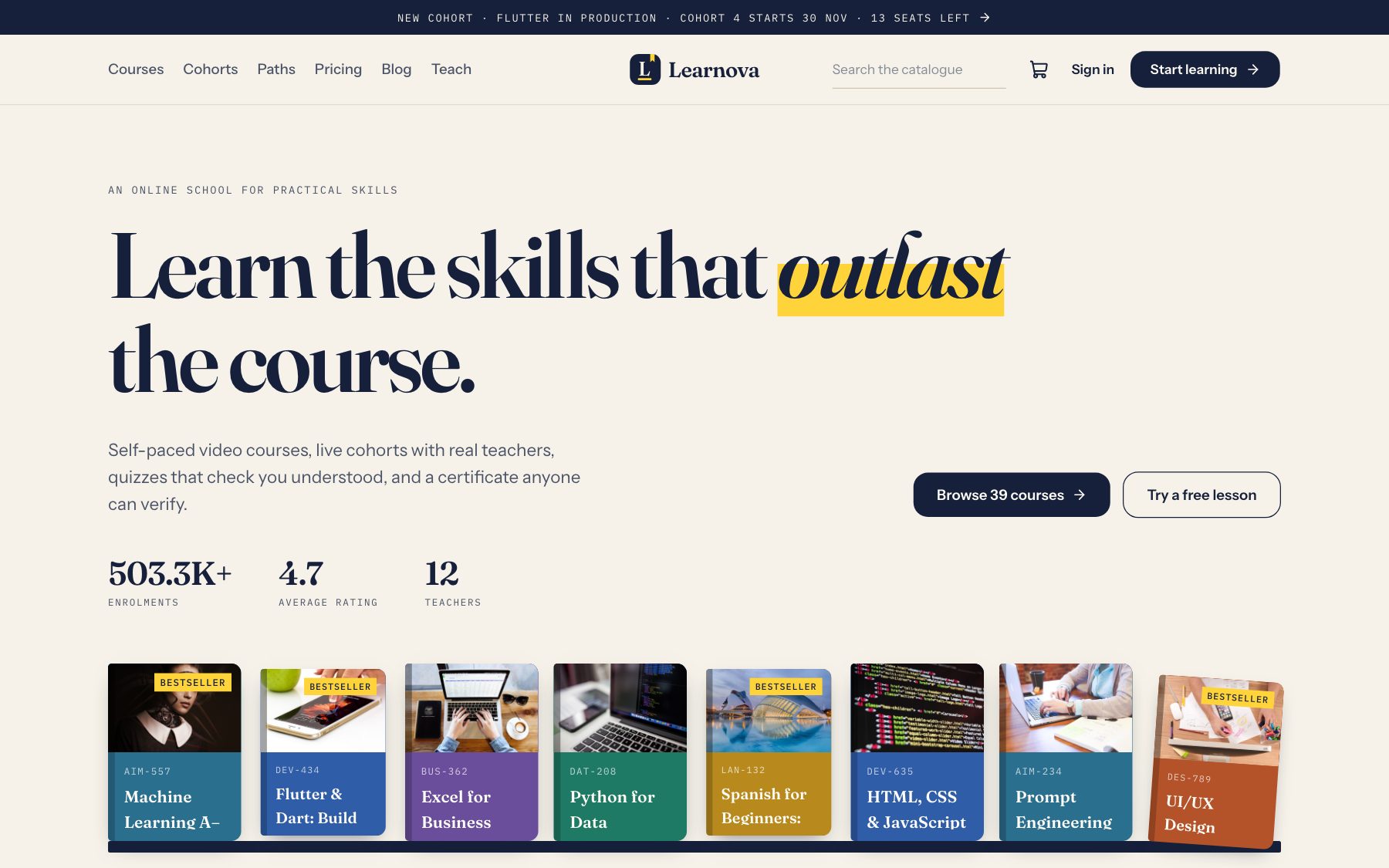
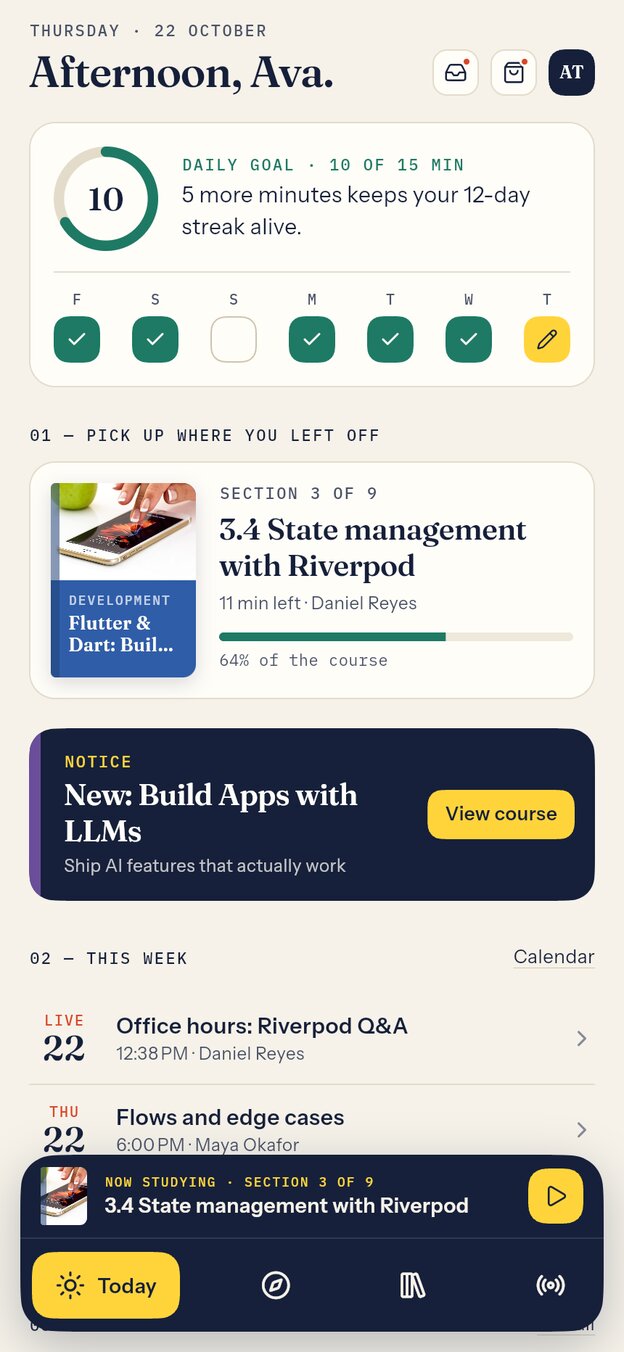
- 1.1A Today page with the daily goal, the week, what to continue and this week's live classes.
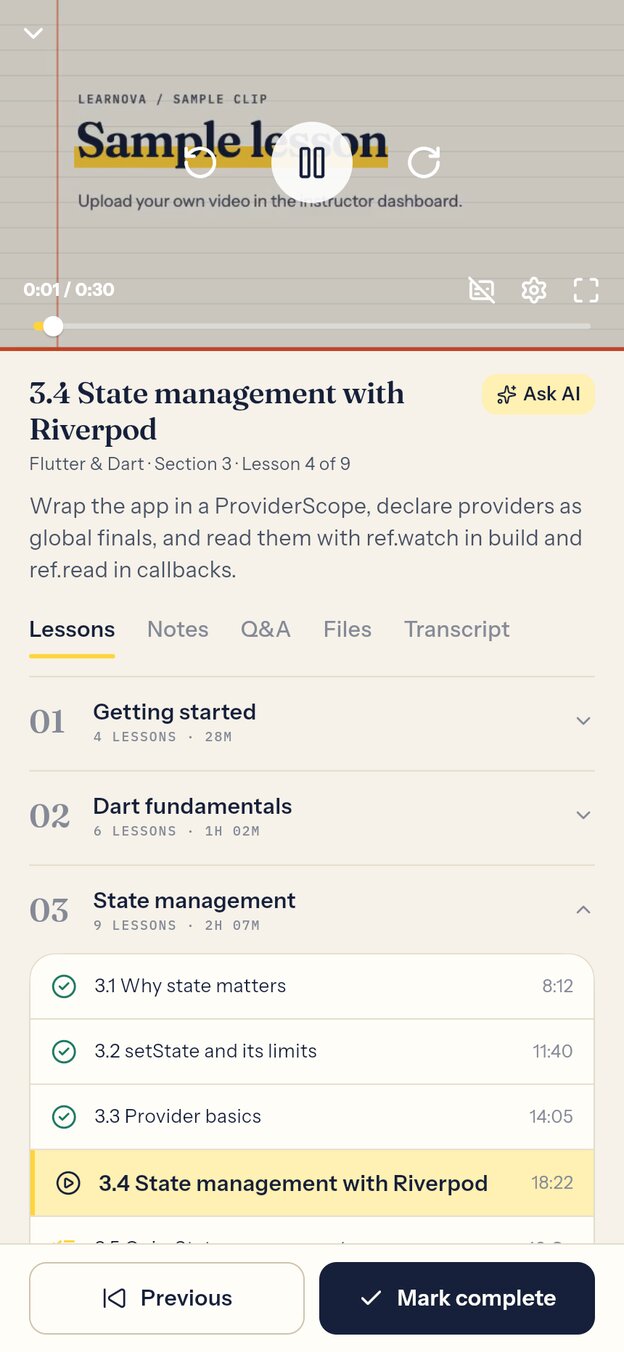
- 1.2Video lessons with notes, Q&A, files and transcripts, plus offline downloads.
- 1.3Quizzes marked on the server, assignments, and certificates with a public check page.
- 1.4A floating study dock with a resume strip, streaks, XP and a Plus subscription.
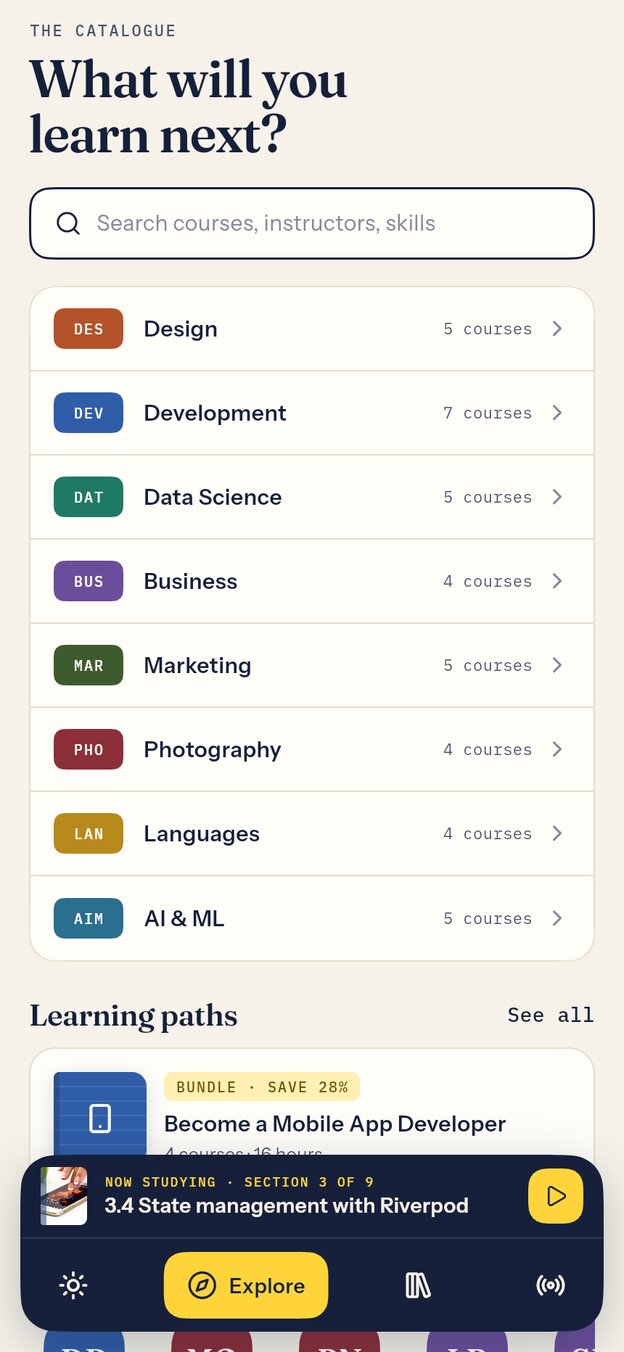
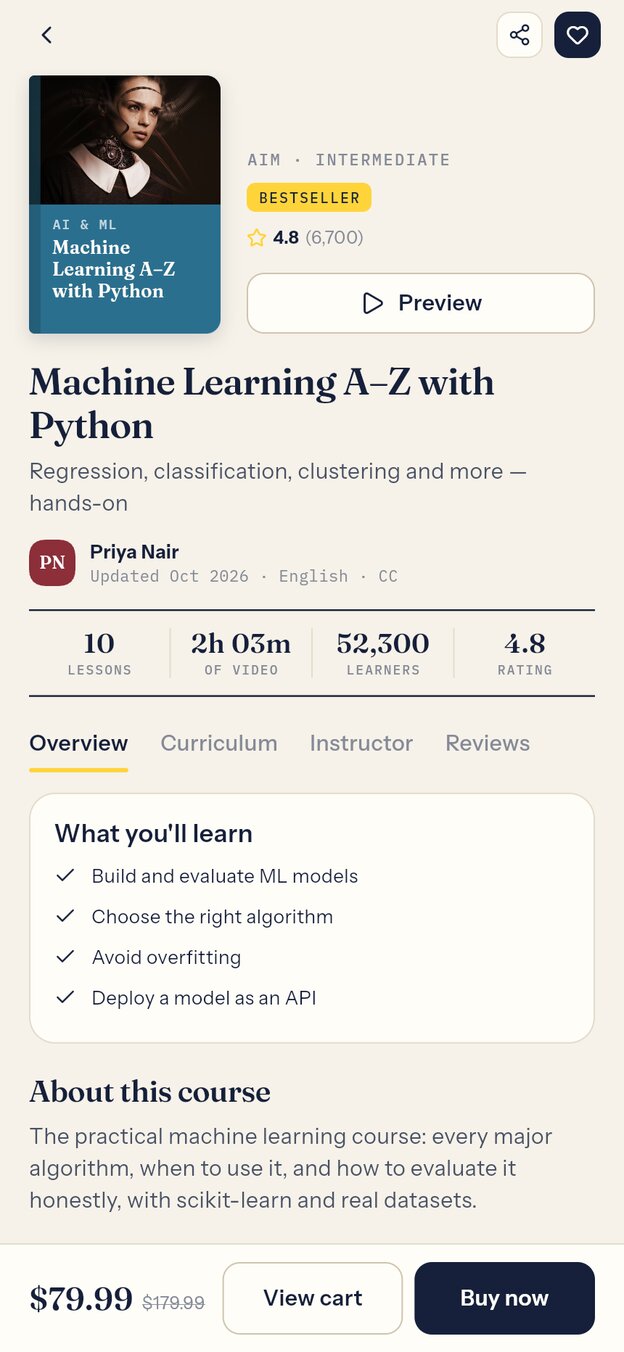
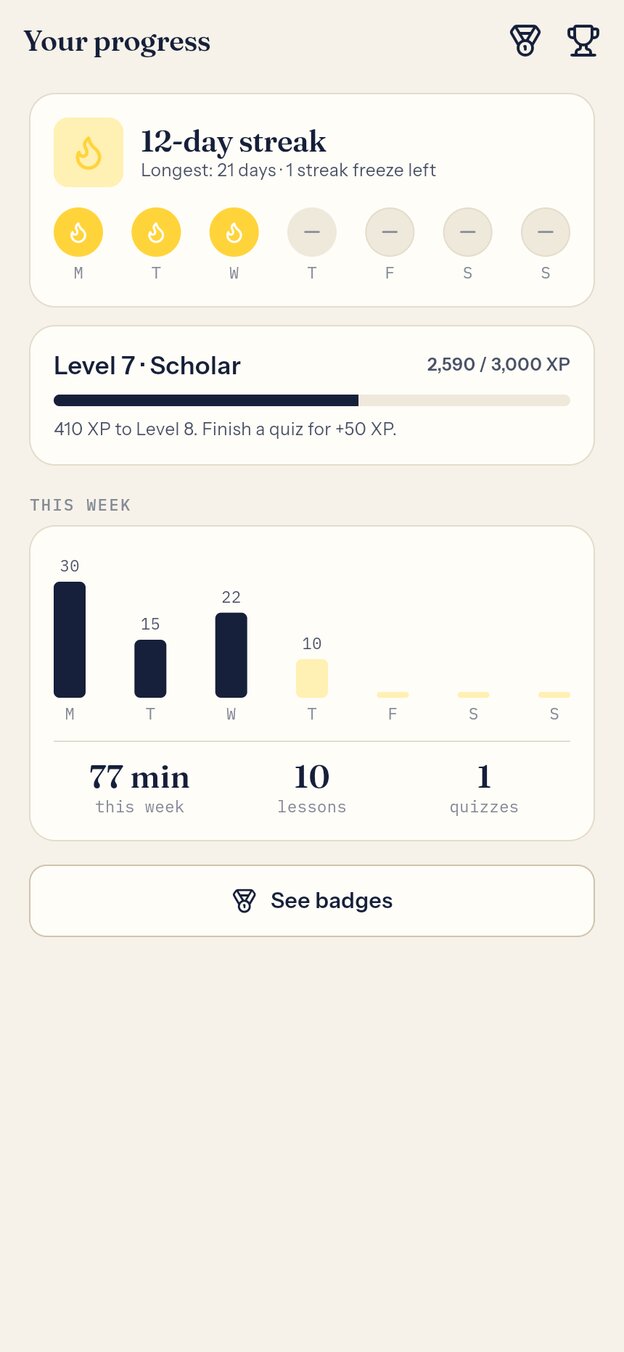
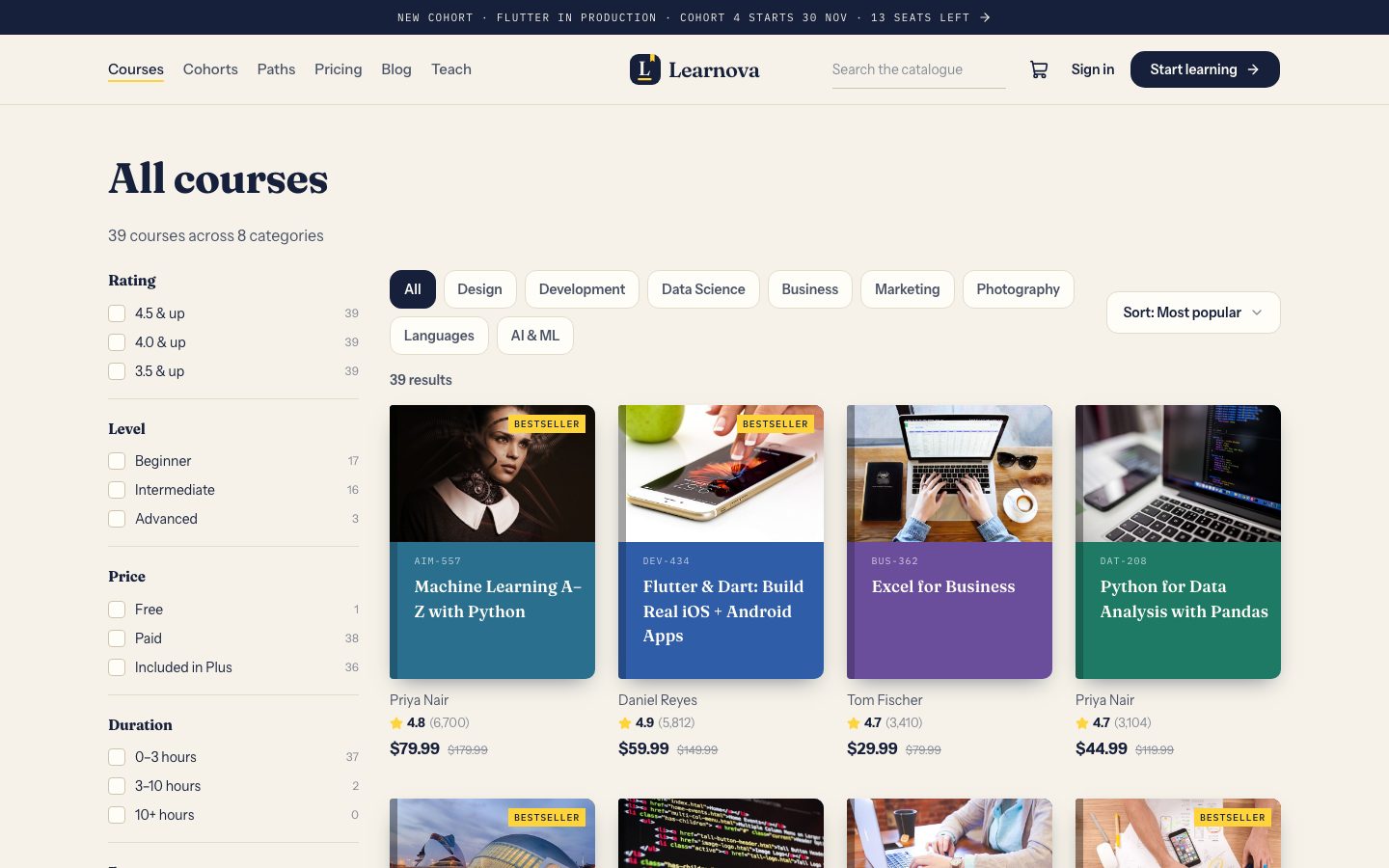
- 2.1Courses shown as books, subjects as catalogue drawers, cohorts as a timetable.
- 2.2Cart, coupons, wallet and tax, then Stripe, PayPal, Razorpay, Paystack, Flutterwave or bank transfer.
- 2.3The full course player in the browser, learning paths, a blog and a help centre.
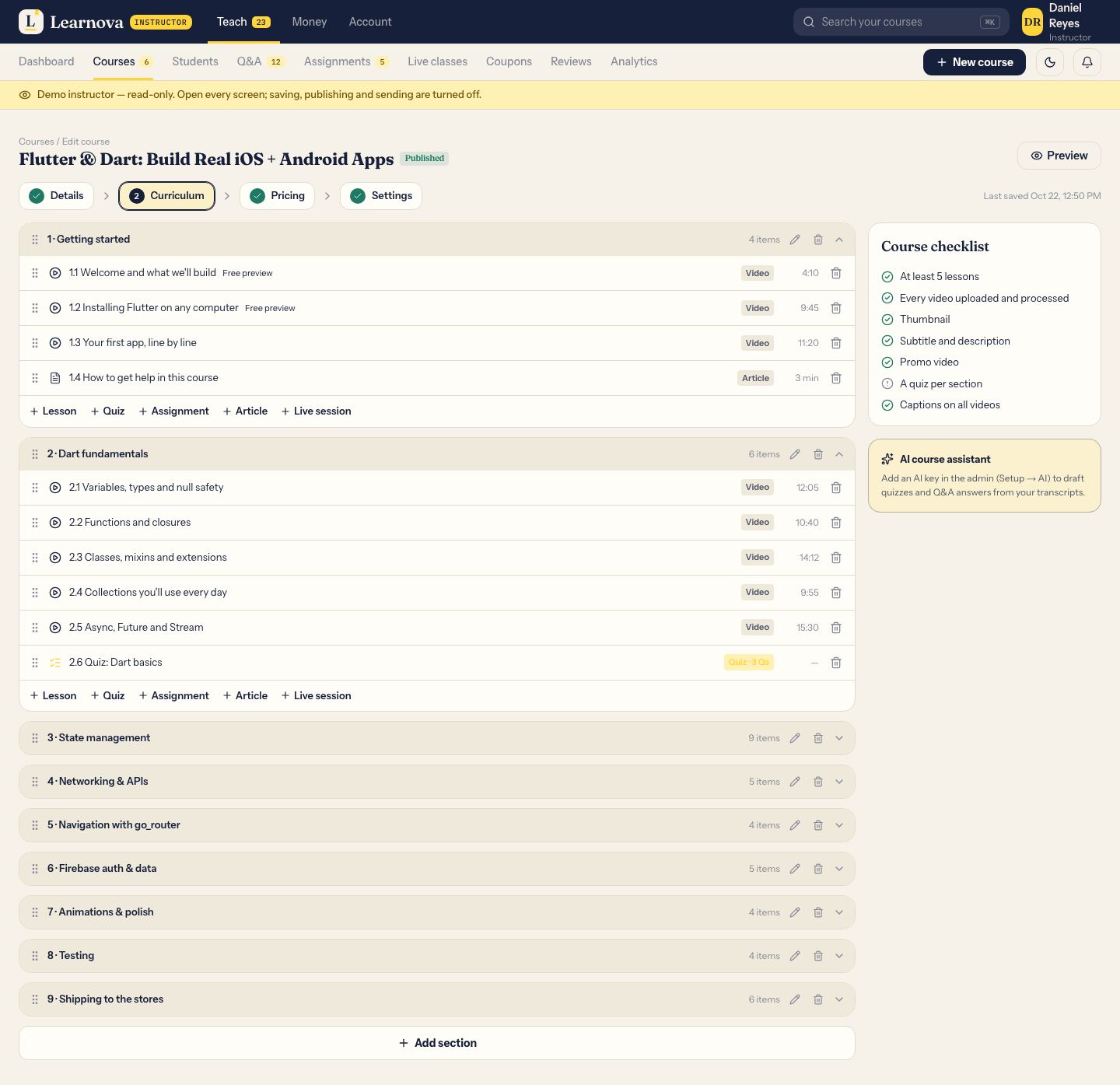
- 3.1Course builder with sections, video upload, quizzes, assignments and a review checklist.
- 3.2Students, a Q&A inbox with AI drafts, grading, live classes and announcements.
- 3.3Earnings from sales and the Plus pool, with payouts twice a month.
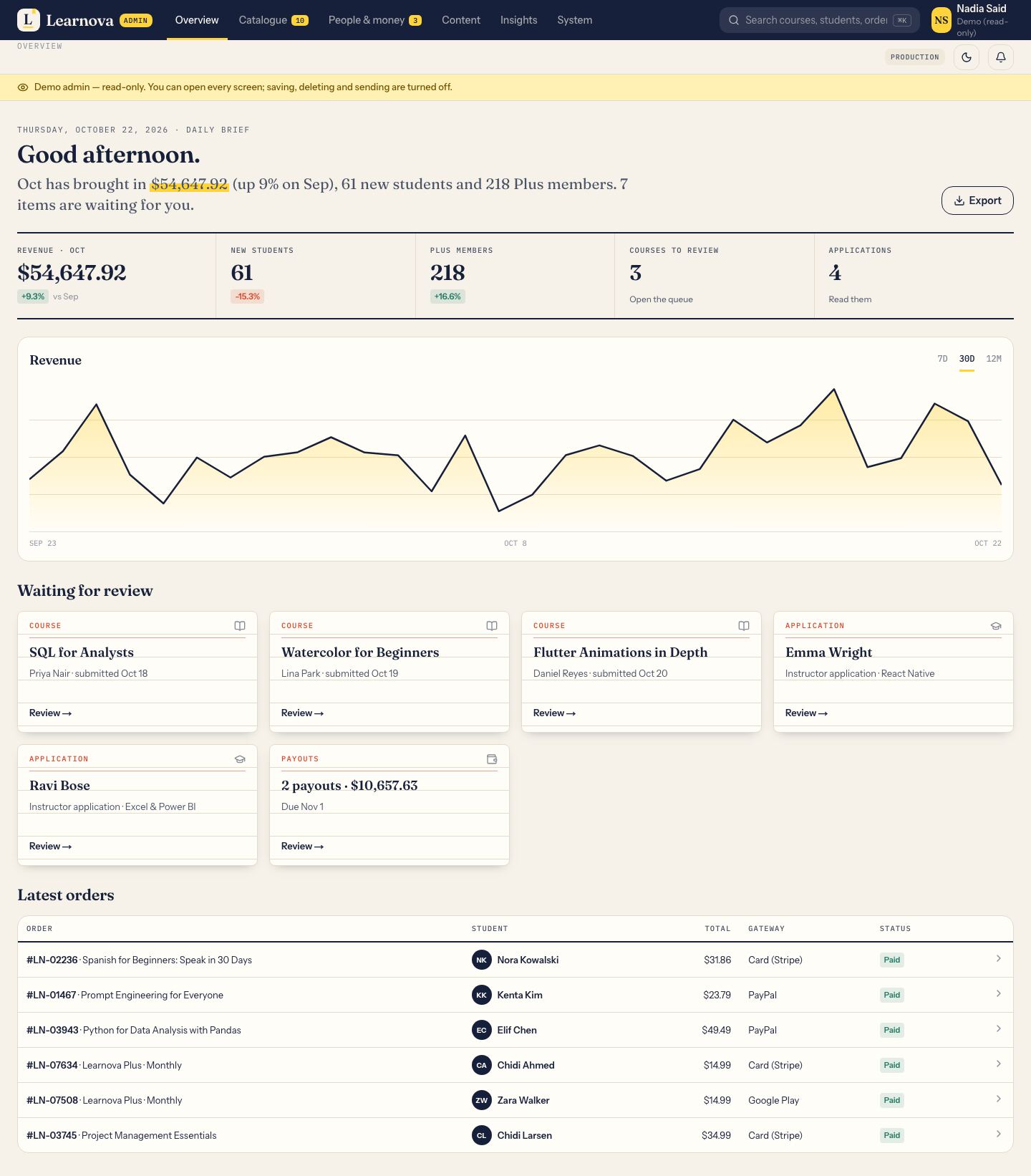
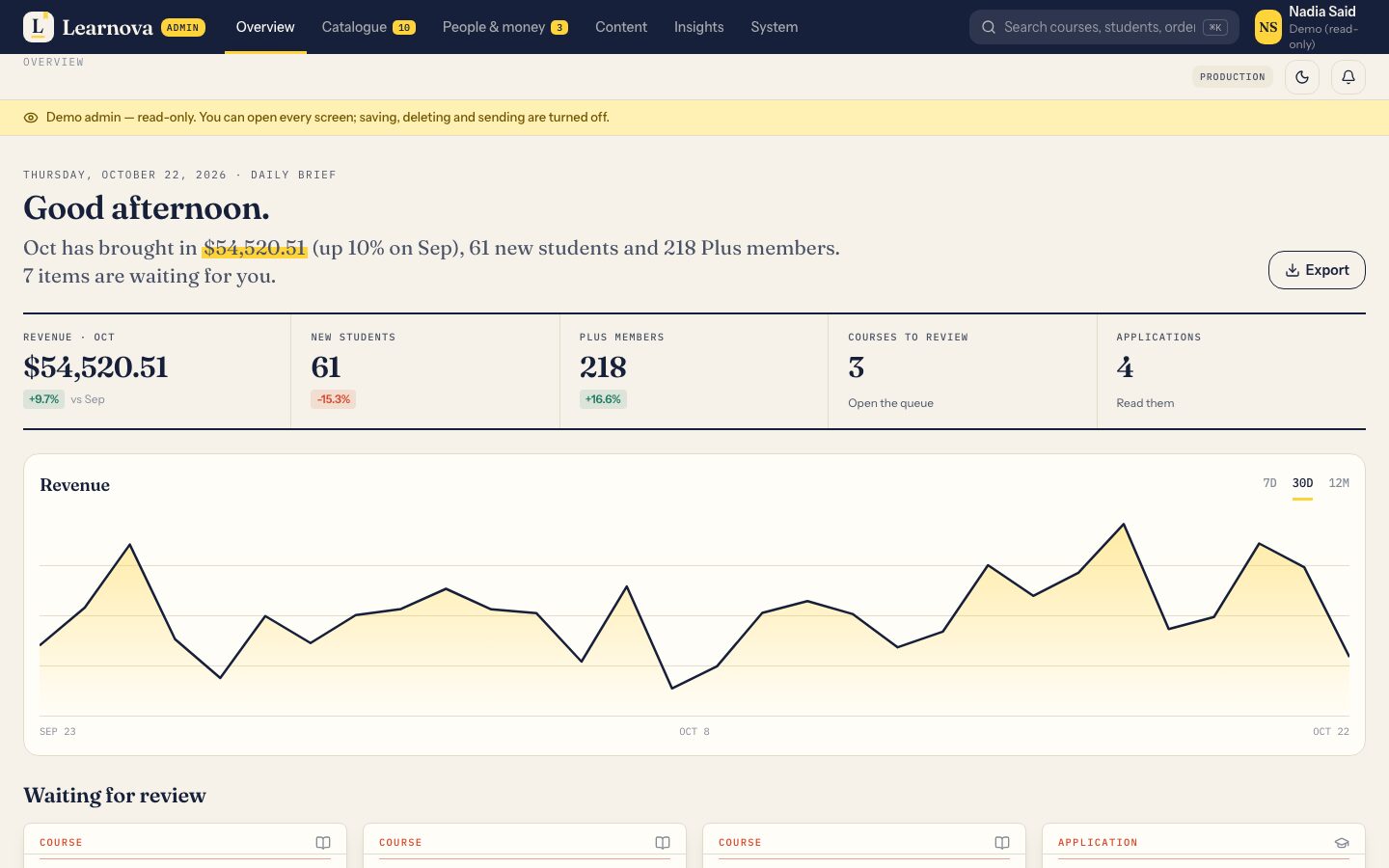
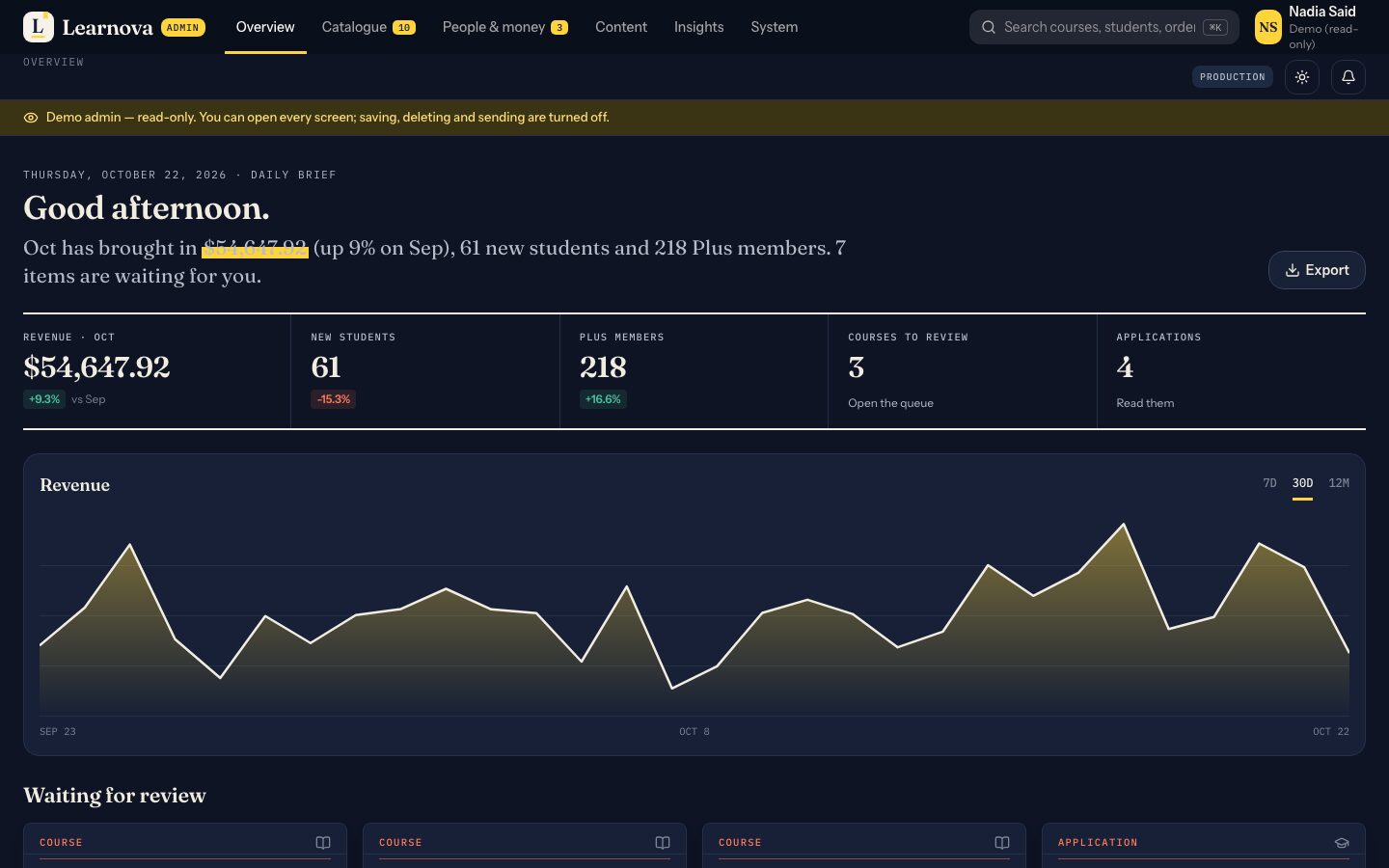
- 4.1A daily brief, the month's ledger and everything waiting for review.
- 4.2Orders, refunds, payouts, coupons, plans, gift cards and reports with CSV.
- 4.3Roles with a permission grid, an audit log and a setup check for every key.
Chapter five · the live demo
Try every part live.
The demo is a working school with sample courses, learners and orders. Sign-ins are read-only or reset, and demo mail never leaves the server.
| Page | Where | What to look at | Sign in as | |
|---|---|---|---|---|
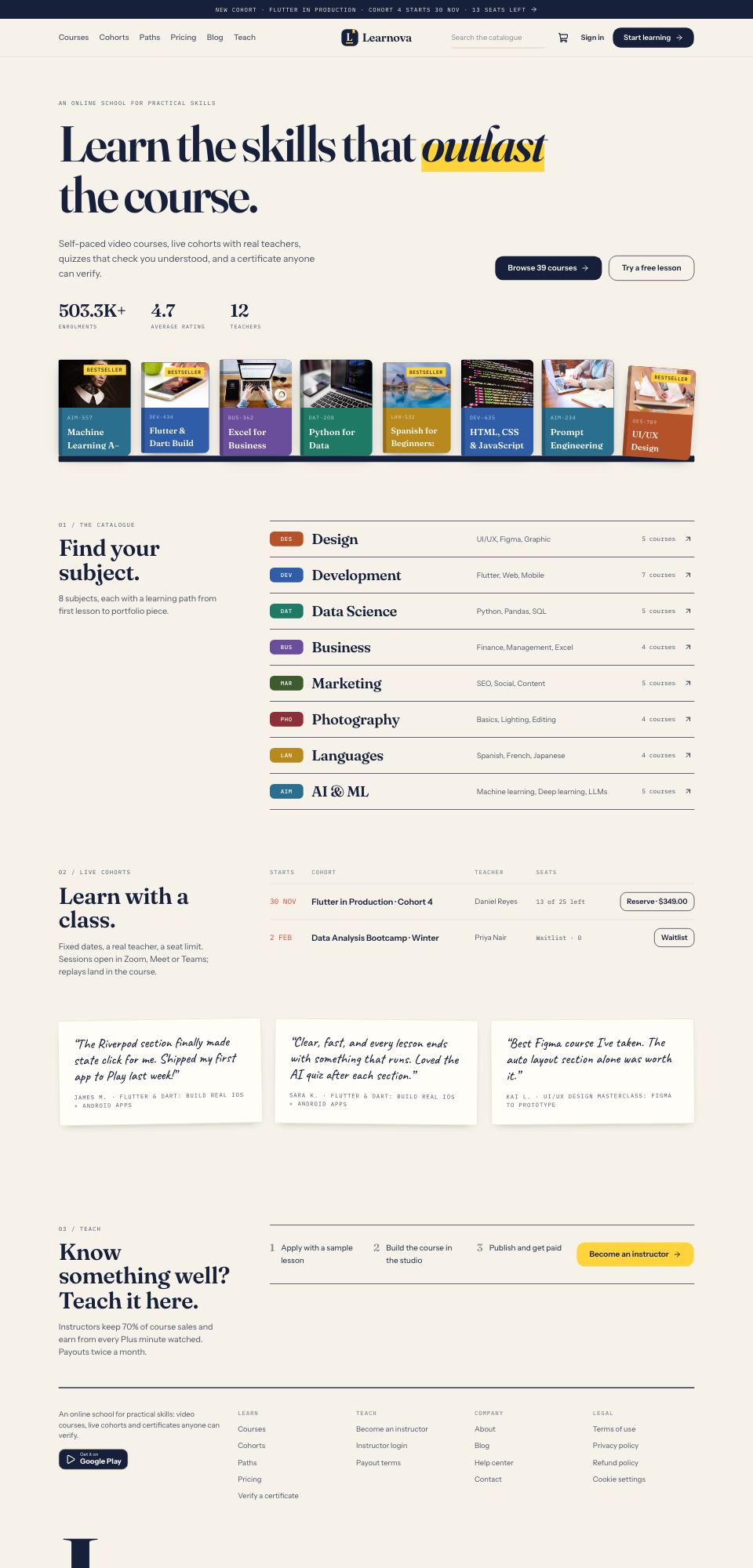 | Home | The shelf of most-read courses, the catalogue drawers and the cohort timetable. | Anyone | Open → |
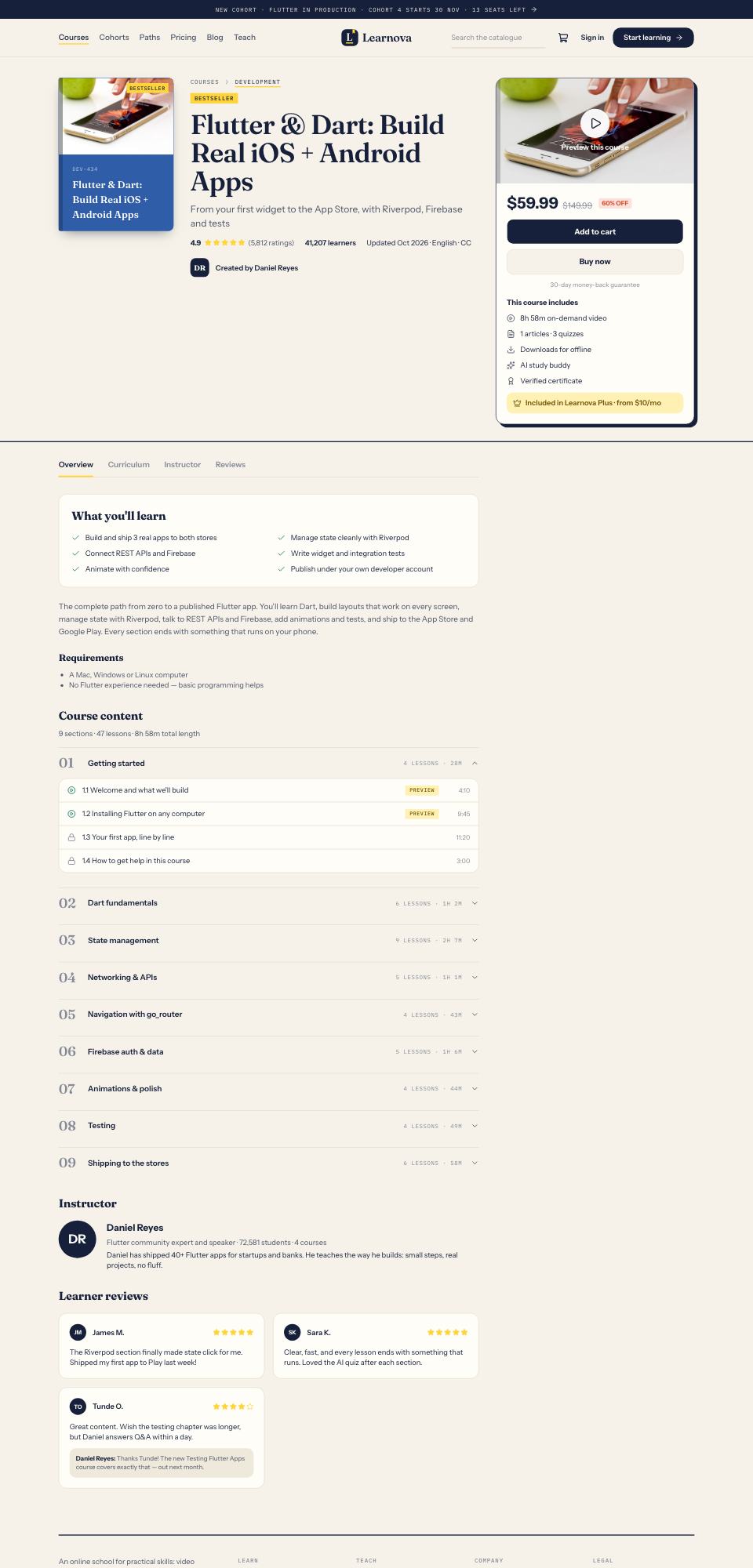 | Course page | The book cover, the numbered syllabus, free previews and the buy box. | Anyone | Open → |
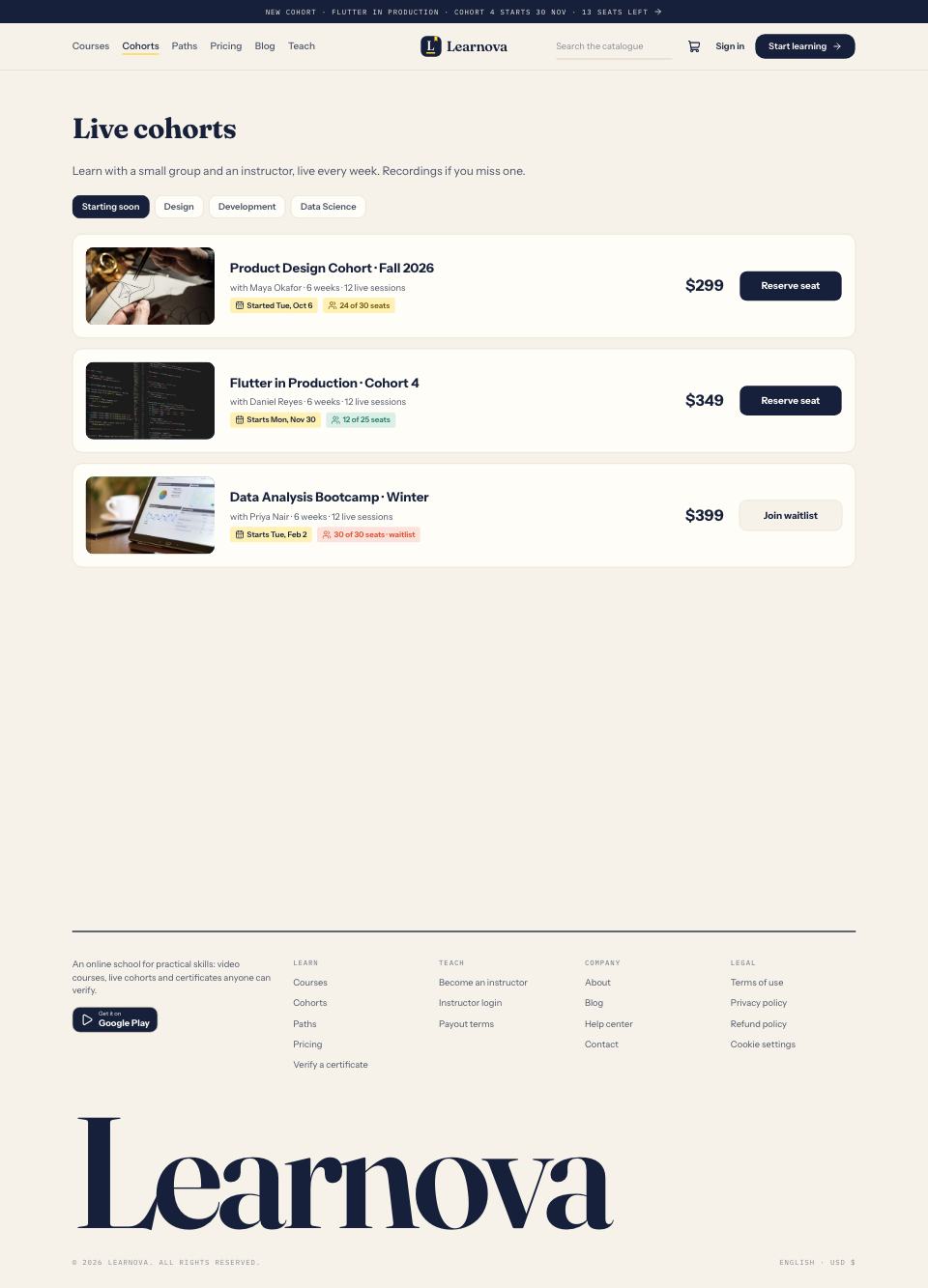 | Cohorts | Live classes with dates, seat limits, a waitlist and replays. | Anyone | Open → |
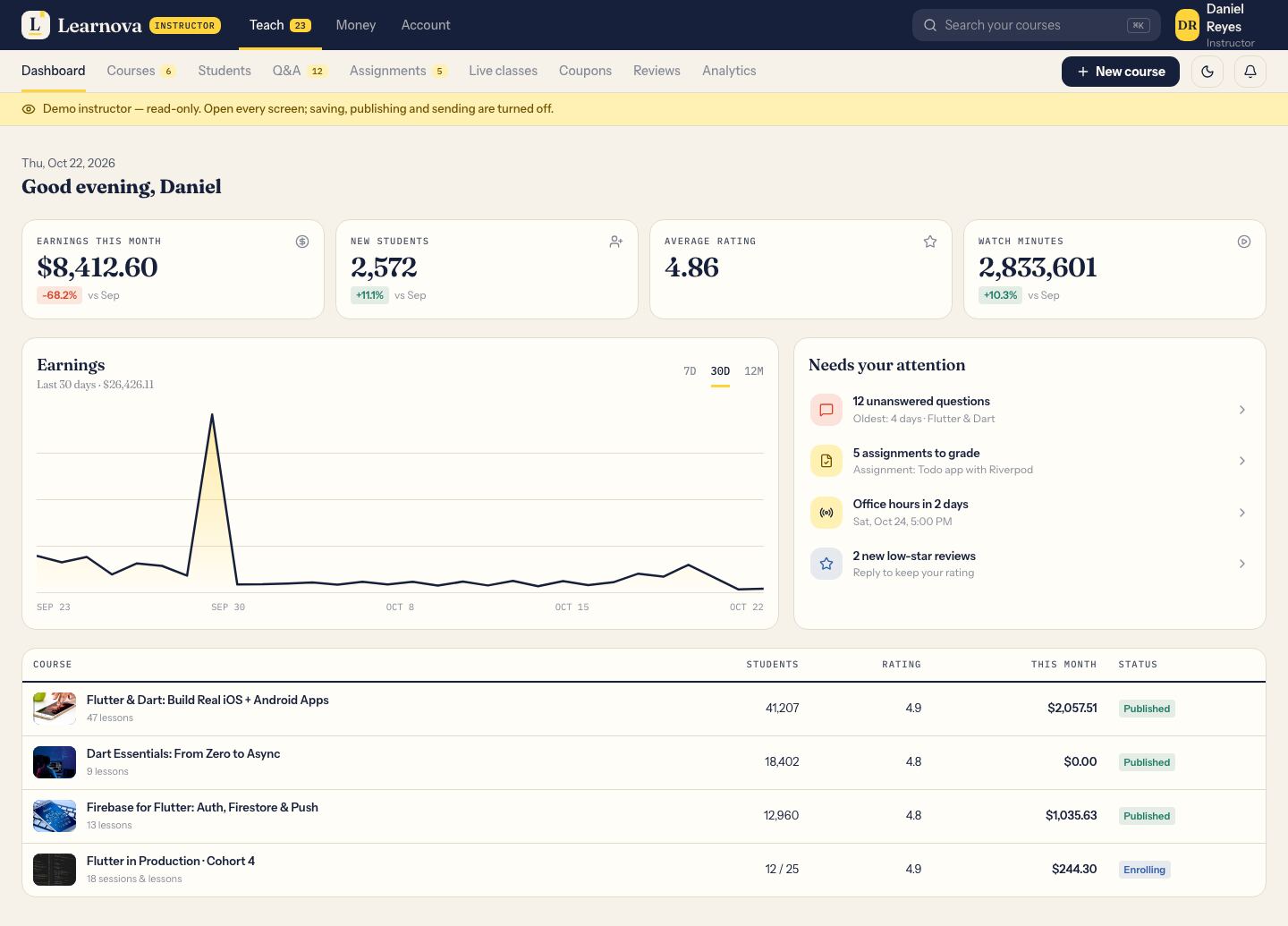 | Studio | An instructor's courses, students, Q&A inbox and analytics. | Demo instructor | Open → |
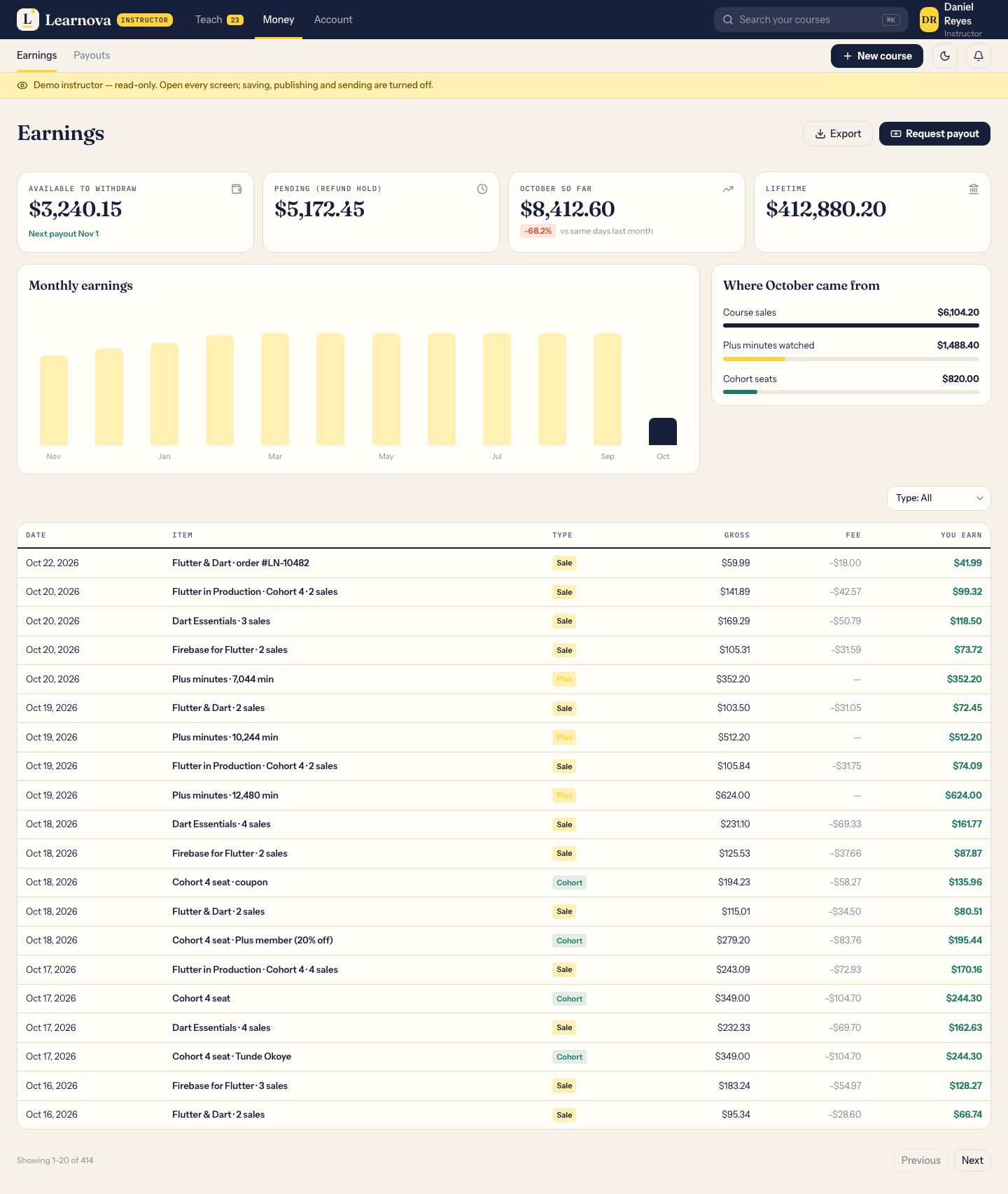 | Earnings | Sales, the Plus pool share and the payout history. | Demo instructor | Open → |
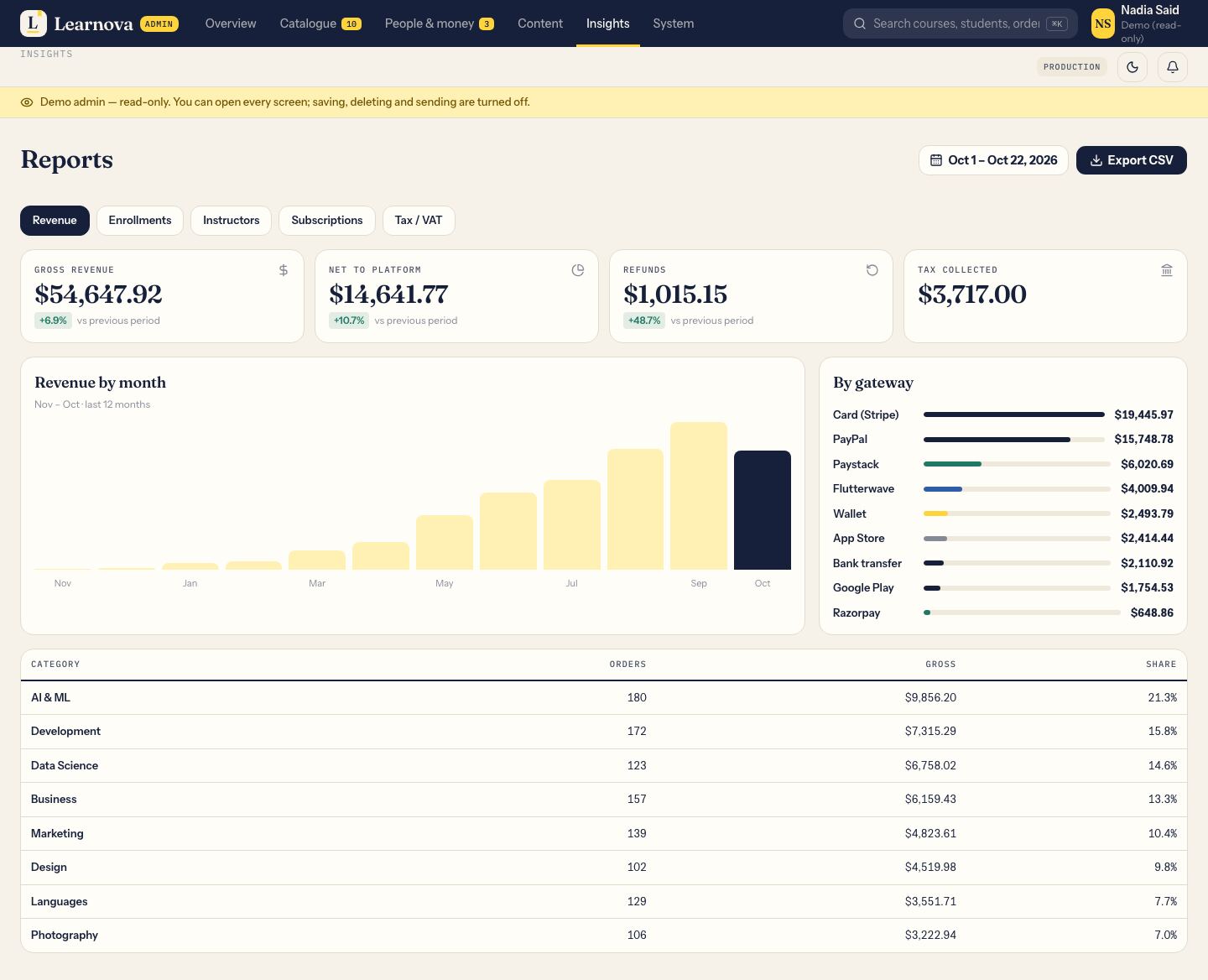 | Reports | Revenue, enrolments and completion, each with a CSV export. | Read-only admin | Open → |
Light and dark
Paper by day, ink by night.
Every surface has a dark theme — the app, the website, the studio and the admin — and follows the device setting.
Chapter six · the source
What is inside.
- One server, one database
- Next.js 16, PostgreSQL and Prisma. The app, website, studio and admin all use the same documented API.
- Money checked on the server
- Prices, coupons, currency, refunds and payouts are worked out on the server and covered by tests.
- A worker for the heavy jobs
- Video to streaming quality levels, transcripts, reminders, push, the Plus pool and clean-up.
- Rebrand in one command
- Name, app id, colour, font and icon with one script; three bundled open-licence fonts.
- Ready for the stores
- Neutral permission texts, placeholder ids, automatic signing and a store checklist in the docs.
- Docs for beginners
- Step-by-step setup, every key explained, what each service costs, the full API and database reference, in HTML and PDF.
- Requirements
- Flutter 3.44 or newer, Node.js 22, Docker for the server and a Firebase project for sign-in and push.
- Support and updates
- Questions and fixes through the item's Support tab; updates are free for every buyer.
Open the demo school
Enrol yourself first.
Sign in as the demo learner, the demo instructor or a read-only admin. Nothing you do there is kept for long.
Learnova 1.0.0 · Flutter and Next.jsCourse photos in the demo are for the demo only and are not in the download.